
Input Module
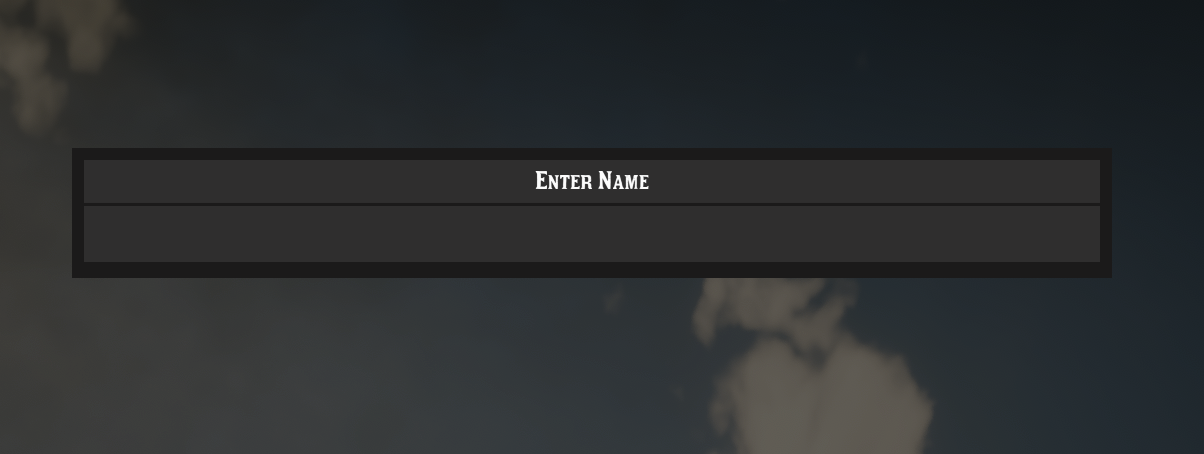
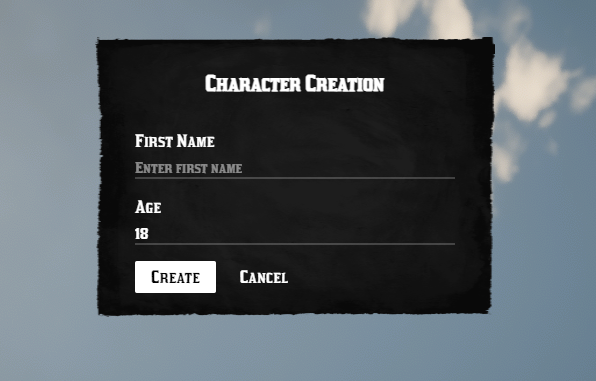
The Input module provides two methods for gathering user input in RedM:
Getting Started
lua
local Input = exports.bln_lib:input()NUI Input
Simple Input
Quick way to create a single input field dialog.
lua
Input.simpleOpen(
    function(result)               -- Callback
        print("Input result: " .. result)
    end,
    "Enter Name",                 -- Title
    "Character Name",             -- Input Label
    "Enter your character name",  -- Placeholder
    "Submit",                     -- OK Button Label
    "Cancel"                      -- Cancel Button Label
)
Custom Form Input
Create custom forms with multiple inputs.
lua
Input.open({
    isRTL = false,               -- Right-to-left support
    title = "Character Creation",
    labels = {
        submitLabel = "Create",
        closeLabel = "Cancel"
    },
    inputs = {
        {
            name = "firstname",
            label = "First Name",
            type = "text",
            value = "",
            attributes = {
                placeholder = "Enter first name"
            }
        },
        {
            name = "age",
            label = "Age",
            type = "number",
            value = "18",
            attributes = {
                min = "18",
                max = "90"
            }
        }
    }
}, function(data)
    print("First Name: " .. data.firstname)
    print("Age: " .. data.age)
end)
Close NUI Input
Manually close the NUI input form.
lua
Input.close()Native Input
Use the game's built-in keyboard input.
lua
local result = Input.native(
    "Enter Name",           -- Label
    "John Doe",            -- Placeholder
    20                     -- Max Length (optional)
)
print("Input result: " .. result)